
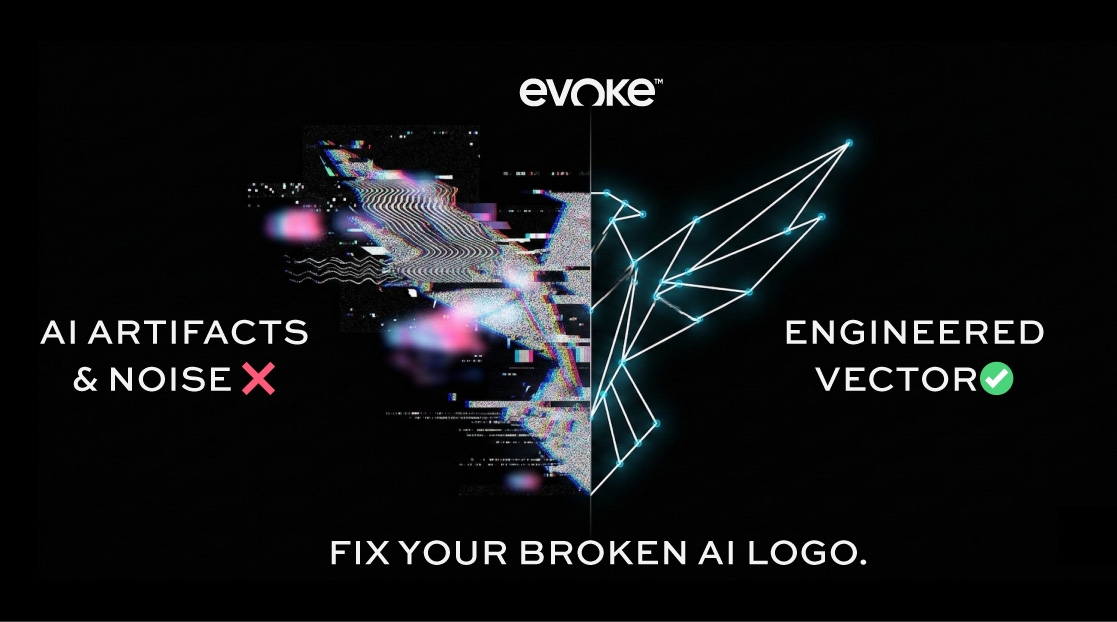
Midjourney and DALL-E frequently generate ai logo artifacts, including stray pixels, asymmetric geometric errors, “extra” limbs or lines, and latent space noise.
Founders cannot use automated software to fix these errors because auto-tracers simply duplicate the chaotic mistakes into broken vectors. To successfully deploy an enterprise visual identity, founders must utilize manual Bezier reconstruction.
Human brand engineers at Evoke manually filter out the algorithmic noise, execute a Grid Symmetry Fix, and transition the cleaned concept into a mathematical vector ready for industrial scale.
The final polished asset is delivered within a Master Brand Vault containing infinite-scale SVG and original .AI source files.
- The Technical Diagnosis: What Exactly Are "AI Logo Artifacts"?
- Why You Cannot Just Use the Photoshop Eraser Tool
- Visual Proof: Erasing the "Noise" to Discover the Brand
- The Disastrous Risk of Auto-Tracing AI Hallucinations
- Eliminating AI "Gibberish" Typography
- Receiving The Master Brand Vault: Ready for Global Execution
- FAQs
You prompted a brilliant concept. The AI returned an image that captures 95% of your global startup’s vision. But it’s that final 5% that makes your file entirely unusable for a professional launch.
You zoom in, and you see them: AI logo artifacts.
Maybe the geometric circle isn’t quite round; it bulges awkwardly on one side. Maybe your majestic wolf mascot has three ears, or there are five random, glowing pixel-lines floating completely detached from the main icon.
And let’s not even start on the bizarre, blurry shadow that Midjourney plastered over the right half of the design for absolutely no logical reason.
An AI-generated prototype is essentially a machine “guessing” what human art looks like. Often, it guesses incorrectly.
In the corporate world, these visual artifacts are the equivalent of showing up to an investor pitch wearing a $5,000 custom suit with a giant, visible coffee stain on the lapel. Your target audience—whether B2B enterprise buyers or retail consumers—will instantly clock the “weirdness” of your logo.
It screams unprofessional. It screams template. It screams I didn’t invest in my brand.
You must extract your idea from the chaotic pixel noise of a machine. You must fix your ai logo artifacts through architectural vectoring.
Here is exactly what those artifacts are, why typical software makes them infinitely worse, and how Evoke surgically extracts your masterpiece from the algorithm’s mess.
The Technical Diagnosis: What Exactly Are “AI Logo Artifacts”?
To fix a problem, you must understand the mechanics behind it. Platforms like Midjourney, Stable Diffusion, and DALL-E 3 are known as diffusion models. They do not have logic engines that understand the physics or mathematics of design.
They start with static noise (like television snow) and slowly organize the pixels into a shape based on textual training data. Because the AI is mashing thousands of visual concepts together, it constantly suffers from “hallucinations.”
In the high-stakes branding world, these hallucinations manifest as severe structural errors:
- Stray Pixels (Floating Debris): Random specks of color that belong nowhere near the core design, appearing like dirt on a screen.
- Broken Asymmetry: An AI cannot map perfectly equal sides. The left wing of your tech-eagle might be sharp, but the right wing is noticeably shorter, rounder, and technically warped.
- Color Bleeding: Where crisp, flat corporate colors should sit against one another, the AI aggressively blurs them into muddy gradients that will fail instantly on a CMYK printing press.
- “Gibberish” and Fused Lettering: When AI attempts to put your startup’s name under the logo, the letters physically melt into one another, creating alien glyphs.
If you attempt to print this file on your packaging, build a custom mobile app around it, or use it to lead your marketing—you are actively advertising a damaged product.
Why You Cannot Just Use the Photoshop Eraser Tool
Often, a startup founder will recognize the messy ai logo artifacts and attempt a quick DIY repair. They drop the image into an app, select the eraser tool, and try to rub out the extra floating line or the blurry shadow.
This creates a second disaster.
By manually deleting parts of a low-resolution JPG or PNG file, you leave behind an empty, pixelated void. Your file remains locked as a rasterized grid of 72dpi colored squares. The moment you stretch that edited image for a corporate tradeshow banner or embroider it onto merchandise, the erased area will look jagged, warped, and cheap.
The artifact isn’t truly gone; the file is simply mutilated.
If you want a flawless, permanent fix, the answer is not editing the file. The answer is reverse-engineering and replacing it. You need a professional ai logo to vector transition.
Visual Proof: Erasing the “Noise” to Discover the Brand
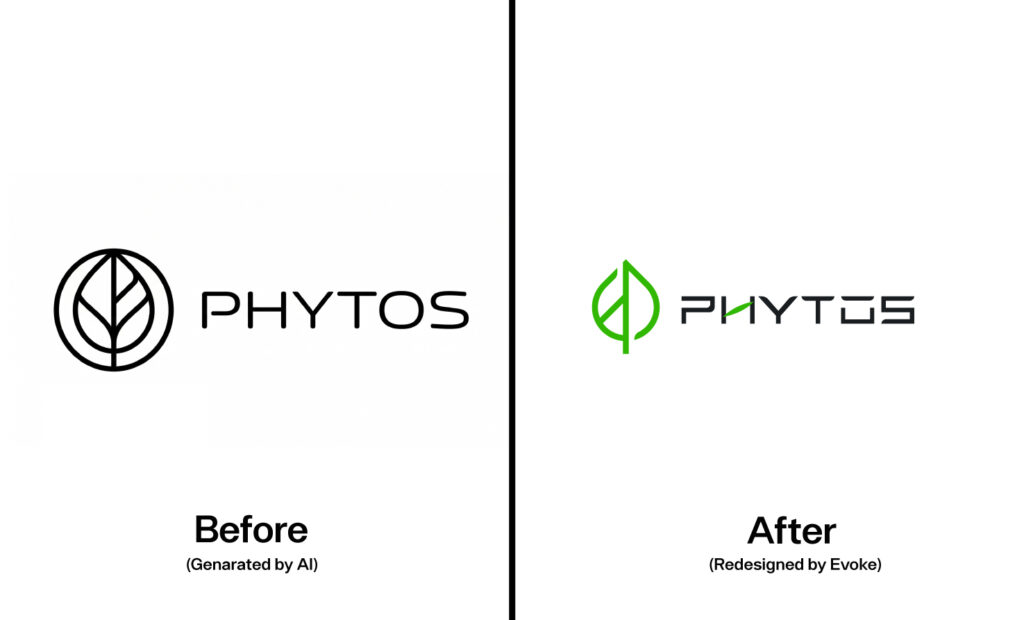
Take a closer look at our Phytos Brand Identity Re-Engineering.
The Flaw: The raw AI generation produced a recognizable conceptual layout, but fundamentally, it was an amateur, structurally weak file. The primary “artifact” here wasn’t just noise; it was geometric confinement and algorithmically lazy line work.
The AI trapped the leaf motif inside an arbitrary, wobbly black circle, making it look like a cheap stock-graphic template. Furthermore, the generated “PHYTOS” typography was dull, unevenly spaced, and possessed zero enterprise-level character.
If a founder used a $10 Fiverr auto-tracer on this file, the software would blindly mathematically trace the wobbly lines and the boring circle, permanently locking those weak structural errors into the core geometry.
The Brand Engineering Solution: At Evoke, we don’t just blindly trace an AI’s bad decisions. Human brand engineers stepped in to evaluate the foundational intent of the prompt: a modern, tech-forward natural brand. We bypassed standard auto-tracing completely.
Moving beyond a simple rescue, we executed our higher-tier Technical Rebuild & Typographical Overhaul with absolute surgical precision:
- Geometric Liberation: We visually analyzed the AI’s limitations and systematically stripped away the unneeded, restrictive outer ring. We engineered strategic line-breaks (negative space) within the leaf, evolving the icon into a sleek, aerodynamic, architectural mark utilizing electric brand-specific green.
- Custom Brand Typography: We completely deleted the generic AI text. We replaced it by engineering a proprietary, wide-stance, high-tech typeface. Look closely at the customized “O” with the exact central line-cut—this structurally mimics the inner stem of the primary leaf logo, achieving brilliant corporate symmetry.
- Manual Bezier Tracing: We replaced the AI’s shaky, “hand-drawn” looking pixel lines with perfectly stable, razor-sharp Bezier curves built over a mathematical grid.
The cheap visual limitations of the AI were systematically eliminated. What remained was absolute, undeniable, global brand authority ready for elite cross-media applications.
Is your raw AI concept trapped by wobbly lines, weak borders, or uninspired text? Let’s delete the algorithmic limitations and engineer total structural perfection.
Start your Master Technical Rebuild and secure a flawless architectural layout right now.
The Disastrous Risk of Auto-Tracing AI Hallucinations
It is vital that global leaders understand why free online vectorization tools are destructive to your corporate identity.
An automated tracing program—which is heavily advertised across the internet as a “fast logo fix”—does not have a human brain. When it scans your AI-generated Midjourney concept, it does not know the difference between the gorgeous primary icon and the random fuzzy blob the AI accidentally generated next to it.
The auto-tracer will create a complex, tangled web of vector points around the garbage blob.
Instead of fixing the messy ai logo artifacts, automated software immortalizes them as mathematical anchor points. If you send that bloated, mathematically-tangled SVG file to an embroiderer for 500 company jackets, their automated needle will trace the chaotic paths, destroy the fabric, and cost you thousands of dollars in ruined inventory.
Our foundational benchmark at Evoke relies entirely on Grid Symmetry Fixes designed by human industry experts.
If your core logo has a symmetry defect (one side generated larger or more distorted than the other), we rebuild the master grid to ensure perfect, heavy, enterprise-level balance. That intentional human touch transforms a glitching visual error into the highest tier of architectural presentation.
Eliminating AI “Gibberish” Typography
Of all the AI logo artifacts a machine generates, the most devastating is hallucinated text. The model produces unreadable letterforms because it’s only painting the visual idea of language.
You cannot fix melted, merged text with a blur tool. The letters must be totally overhauled to command respect.
Under our Typography & Font Overhaul ($250) architecture, we systematically delete the corrupted AI text layers and inject fully optimized, professionally licensed fonts. But we do not stop there.
We perform rigorous kerning and spacing tests so your newly installed typography sits in exact alignment with your beautifully corrected vector icon above it. We bridge the gap from “amateur AI experiment” to high-end B2B legitimacy.
Do not launch with embarrassing gibberish below your logo. Let Evoke match premium typography to your master aesthetic today.
View our specialized Font Overhaul process and engage our workflow.
Receiving The Master Brand Vault: Ready for Global Execution
When your raw, noisy, broken AI concept enters Evoke’s digital studio, it leaves behind every flaw of its generation. What you get in return isn’t just a cleaned-up JPEG file. It is an infrastructure built to scale multi-national organizations.
The final execution point is delivered strictly inside our standard Master Brand Vault.
Because the algorithmic trash and messy pixel artifacts have been scrubbed by human intelligence, the delivery is purely architectural logic:
- Precision-Aligned SVGs: Crisp, noise-free lines coded for infinite digital scalability, rendering perfectly on ultra-HD mobile interfaces and desktop platforms.
- The Adobe Illustrator Base Matrix (.AI/.EPS): We provide you the native vector engineering source files. No matter where you pivot your business, your brand retains total geometric malleability without artifact loss.
- Corrected Alpha-Transparency Kits (PNGs): Completely free from “fringe noise”—those annoying, fuzzy white outlines that surround a badly cropped AI logo when placed over a dark website background.
You initiated the AI prompt to rise above ordinary standards. Do not settle for a damaged asset right before the finish line.
Fix your AI logo artifacts, restructure the mathematical paths, and operate with undisputed visual confidence.
Stop looking at stray pixels and weird artifacts holding your company’s image back. It is time for a professional to step in.
Access our Evoke Benchmark configuration form. We operate on a strict 50/50 quality standard protocol. Start now.
Leave a Reply